Catalog Mind
Holiday Readiness Kit · Free guide
Search Health Scorecard
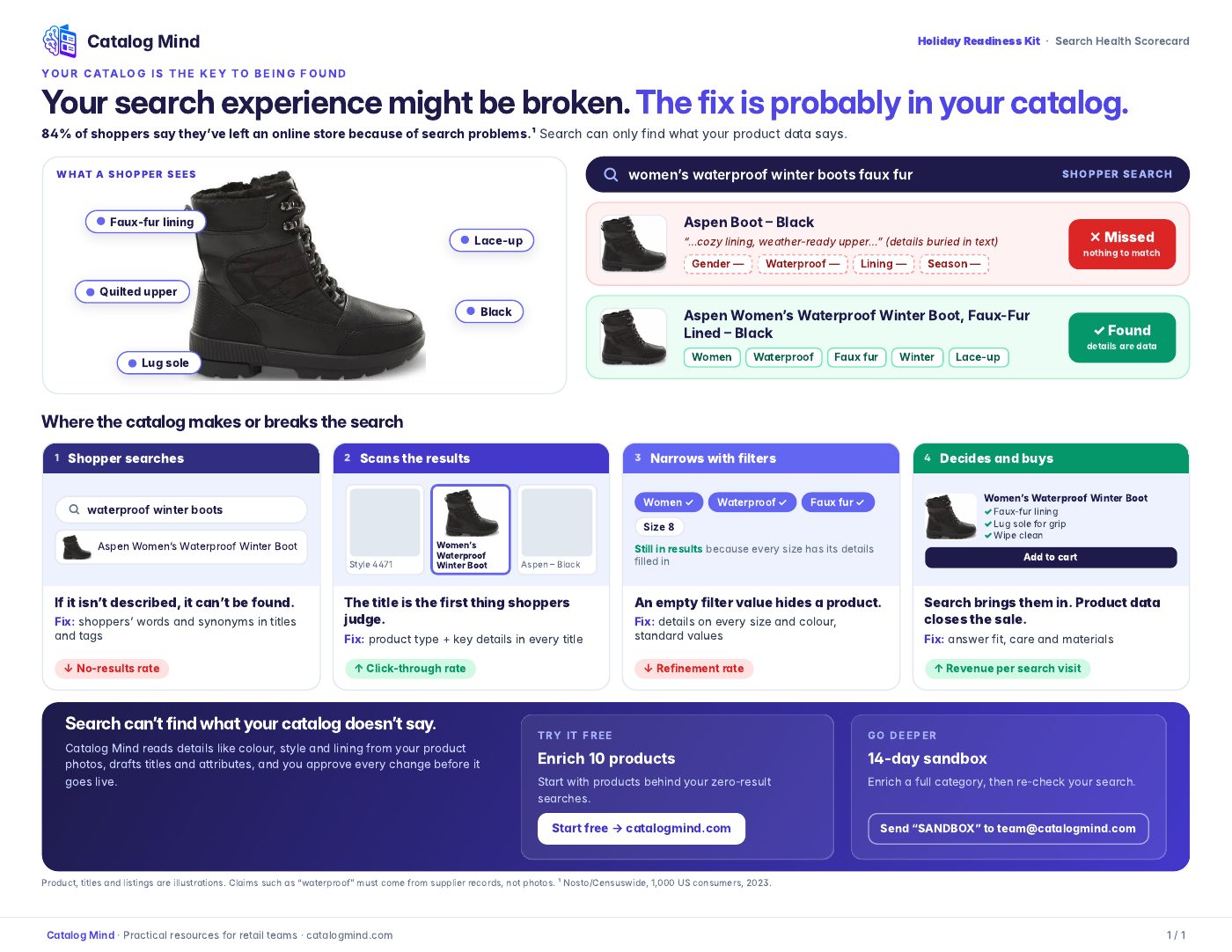
Your site search can only find what your product data says. When key details like gender, material, lining or season are buried in description text instead of being set as titles, tags and attributes, a shopper's search simply misses the product.
This one-page scorecard walks through a real-looking example — the same boot, missed and then found — and shows the four points in a shopper's journey where your catalog makes or breaks search, with a fix and a metric to watch for each.
- Format
- PDF · 1 page · 0.7 MB
- Time
- About 5 minutes to read
- Access
- Free, no sign-up
What's inside
Missed vs found
The same product shown twice: details hidden in description text versus written into the title, tags and attributes.
Shopper searches
If it isn't described, it can't be found. Fix: use shoppers' words and synonyms in titles and tags. Watch: no-results rate.
Scans the results
The title is the first thing shoppers judge. Fix: product type plus key details in every title. Watch: click-through rate.
Narrows with filters
An empty filter value hides a product. Fix: details on every size and colour, with standard values. Watch: refinement rate.
Decides and buys
Product data closes the sale. Fix: answer fit, care and materials. Watch: revenue per search visit.
How to use it
- 1Pull your top searches and your zero-result searches from your site search or analytics.
- 2Run a few yourself and compare the results with the "missed vs found" example.
- 3For the products that should have appeared, fill the missing titles, tags and filter values — on every size and colour.
- 4Re-run the same searches and keep an eye on the metric listed for each step.